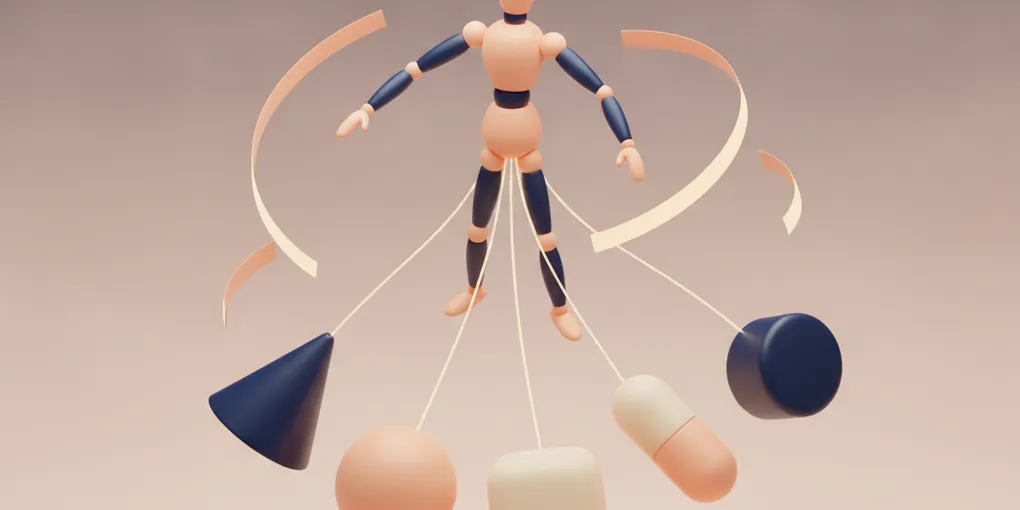
Buy an Animation Once, Give It to Every Hero: Retargeting Library Clips onto AI-Generated 3D Characters
Klooboo’s runner has a cast problem nobody else’s runner has: the cast is unbounded. A kid types “a pirate frog” or “a huge ice cream”, our pipeline turns that sentence into a rigged 3D character, and thirty seconds later it is sprinting down a supermarket aisle dodging wet-floor signs.
That pipeline gives every hero three clips: idle, run and jump. Everything else was faked. To slide under a barrier, the game squashed the hero to 55% of its height. Every jump was the same stock hop. And when you finished a level, the results screen showed your hero… still running, back to the camera, into the distance.
I wanted real moves: a slide that looks like a slide, jumps with a bit of wow, and a hero who turns round and celebrates when you win. Animating a few hundred kid-made characters by hand is not a thing a solo developer does. So the question was whether we could animate them all at once.
One skeleton, many bodies
The trick that makes this possible is boring: every hero our pipeline produces (we rig them with Meshy) gets the same 24-bone skeleton. Same bone names (Hips, Spine, LeftUpLeg, Head, headfront…), same hierarchy. The bodies are wildly different (a frog, an ice cream cone with legs, a knight wearing snorkels), but underneath they are all the same puppet.
Meshy also sells an animation library: about 680 motions you can apply to a rigged character, a few cents each. Applied to one character, a clip is just a list of keyframes per bone name. If every hero has the same bone names, a clip bought once on one “donor” character should play on all of them.
It does, with a catch: you can’t just copy every track.
The retarget recipe (and the “correct” version that wasn’t)
A clip stores three kinds of tracks per bone: rotation, position and scale. The position and scale tracks encode the donor’s bone lengths. Copy those onto a short, round frog and you stretch the frog into the donor’s proportions. What works:
export function retargetMove(clip, name, donorHipsLen, heroHipsLen, hipsY) {
  const tracks = [];
  const s = heroHipsLen / donorHipsLen;            // hero's hip height vs the donor's
  for (const t of clip.tracks) {
    const [bone, prop] = splitTrackName(t.name);
    if (prop === "quaternion") { tracks.push(t.clone()); continue; } // rotations: copy RAW
    if (prop !== "position" || bone !== "Hips") continue;            // other positions/scales: drop
    const out = Float32Array.from(t.values), [x0, y0, z0] = out;
    for (let k = 0; k < out.length; k += 3) {
      const y = hipsY === "clampUp" ? Math.min(out[k + 1], y0) : out[k + 1];
      out[k] = x0 * s; out[k + 1] = y * s; out[k + 2] = z0 * s;      // pin X/Z: move in place
    }
    tracks.push(new THREE.VectorKeyframeTrack(t.name, t.times, out));
  }
  return new THREE.AnimationClip(name, clip.duration, tracks);
}
Rotations are copied as they are. The hips’ translation is kept, because that is what makes a slide go low, but scaled to the hero’s own hip height, with the sideways and forward travel pinned so the hero moves in place. Everything else is thrown away.
The first version I wrote was the textbook one: express each rotation as a delta from the donor’s rest pose, then apply that delta to the hero’s rest pose. It is more “correct” on paper, and it froze every hero in its default T-pose. Our heroes don’t share a rest pose (some bind in a T, some in an A), so the delta math cancelled the motion out. The naive version is the right one here precisely because the skeletons are identical.
5MB per clip down to 675KB for all of them
A library clip downloads as a GLB with the donor’s whole body inside it: about 5MB each. The game needs none of that mesh, only bone motion. A small build script reads the eight clips, keeps the donor skeleton, keeps only the rotation tracks and the hips translation, and writes one moves.glb.
The first build came out at 2.3MB, still mostly mesh. With @gltf-transform/core, disposing a mesh doesn’t dispose the vertex and index buffers it pointed at; they stay parented to the document root. Since the pack holds only animations, the fix was simple: dispose every accessor that no animation sampler reads.
const used = new Set(root.listAnimations().flatMap(a =>
  a.listSamplers().flatMap(s => [s.getInput(), s.getOutput()])));
for (const acc of root.listAccessors()) if (!used.has(acc)) acc.dispose();675KB, for every move, for every hero.
A three-second backflip in a 0.66-second jump
Library clips are authored as performances: a backflip is 2.2 seconds of crouch, launch, rotation and landing. Our jump is about 0.66 seconds from takeoff to touchdown, and the game’s physics own that arc.
So each clip gets cut down to the part that actually matters, measured from the hips’ height curve. For a jump: the frames where the hips are above 30% of the clip’s rise. For a slide: the first stretch where they’re below 20% of its drop. That window is then stretched over the game’s real moment:
// each frame while airborne
const progress = elapsed / predictedAirTime;   // from the launch velocity and the ground below
action.time = window[0] + progress * (window[1] - window[0]);
The jump clip’s own hip lift is clamped away (clampUp above), because the game is already lifting the hero along its arc. Doing both made heroes fly twice as high.
All of this lives in a small pure module: game state in (airborne, vy, rolling, mode), “which move at which clip time” out. That made the awkward cases unit-testable:
- walking off a ledge is not a jump;
- landing on a platform early must end the trick that frame;
- jumping straight out of a slide must start one;
- two tricks in a row must differ.
Let a human pick, at real timing, first
Before writing any game code, I built a throwaway audition page: every candidate clip on four real heroes, played on the game’s actual jump arc and run speed, with a hurdle or barrier passing at the right moment. The clips came from an earlier spike, so it cost nothing.
That page did more for this feature than any amount of reasoning. One of five jumps got rejected on sight, slides got tested against the real barrier height, and the results screen was designed from what celebrations actually looked like on a frog. It also turned “make the jump wow”, which I couldn’t have specified, into “rotate between these three”.
The bugs only the running game had
Every module had tests, and they all passed. Four of the worst problems were invisible to them, and all four were found by recording the actual game and looking at the frames.
The slide hid the hero. In the game, both slides lay the hero flat at their own spot, and the hero vanished off the bottom of the screen. The chase camera sits 2.4 units up and 2.55 behind, looking slightly down, so the bottom edge of the frame meets the ground about a unit ahead of the hero’s feet. Anything lying at the hero’s own spot is below the frame. The audition’s camera stood further back, which is why it hadn’t shown up there. The fix is visual only: push the model forward in proportion to how far its hips have dropped. The collision box doesn’t move.
A buffered jump froze the last trick. Press jump just before landing and the game lands and relaunches in the same physics step. My director detected takeoff as “grounded last frame, airborne this frame”, and there was no grounded frame, so the hero glided through the whole second jump frozen in the last trick’s end pose. Takeoff is now an explicit launch counter that every jump path increments. A fresh-eyes code review caught this one, not me.
The camera flipped upside down. For the win screen, the camera swings round to the hero’s front. Later in the same frame, an older line resets camera.rotation.z (it adds a roll effect in the reef world). A camera looking back up the track decomposes into Euler angles with z close to π, so zeroing z turned the picture upside down. The new camera code now runs after that line.
The guard came back to life. In the Super Market a security guard chases you. Win while he’s chasing and he showed up in the win scene, standing in front of the hero. The finish line is crossed inside the frame loop’s gameplay block: the results code hid the guard, then the rest of that same frame re-showed him from the live threat level, and from then on nothing ran to hide him again. The end scene now hides him every frame it’s on screen.
Go to the hero, don’t turn the hero
The first results celebration turned the hero round to face the camera. It looked fine, but only heroes with the new moves could do it. The better version leaves the hero alone and moves the camera: a 1.2-second swoop from the run camera round to a low front shot, a slow push-in while the hero waves full-screen, then a pull-back that frames the hero in the strip above the results card. Heroes without the move pack (a long-tailed dinosaur, a kid in a shopping cart) get the moment for free.
The numbers came from watching it on a phone, not from first principles:
- The hero filling 62% of the screen read as “too far”; 85% is right.
- On failure, a 1.8-second hold had the hero back on its feet before the camera arrived, so it looked like celebrating. The final version keeps the hero on the floor for about three seconds, with dizzy stars circling its head, before it bounces back up.
What I’d take away
- A shared skeleton is a platform. If your generated characters share a rig, motion becomes a catalog you buy once rather than per-character work.
- Cut performances down to moments. Library clips are built to be watched; games need a fraction of a second of them, stretched over the game’s own timing.
- Audition before you build. Ten minutes on a page of real clips on real characters replaced a week of guessing at “wow”.
- Look at the frame. Every bug that mattered here passed its tests. Each one showed up in a recording of the running game.