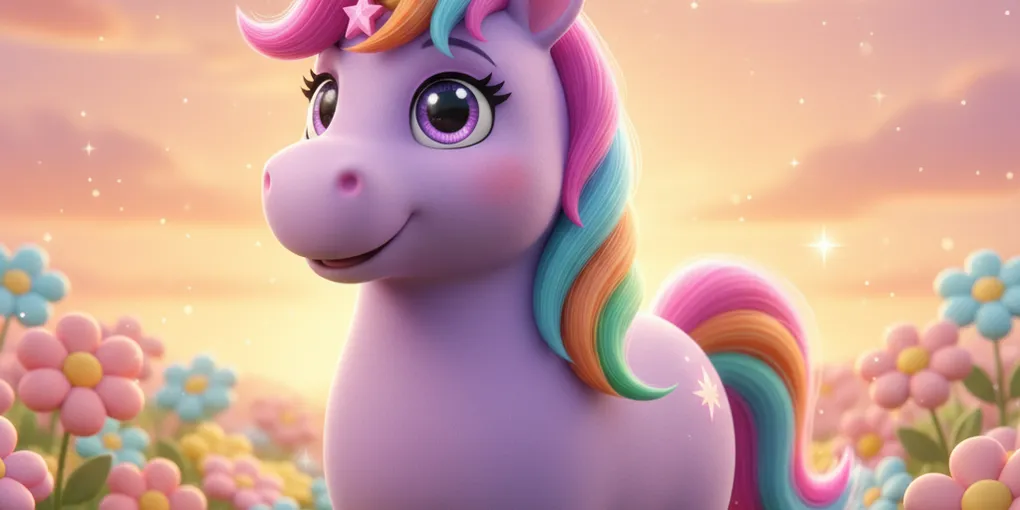
From FLUX to Gemini 2.5 Flash Image: How Our Image Bill Went from $240 to $0
A few weeks ago I wrote about switching our puzzle images from Stable Diffusion XL to FLUX.1-schnell. It was a real upgrade — vibrant colors, better composition, theme-aware prompts that finally made each puzzle feel like it belonged to its station.
Today I’m writing about why we just left FLUX.
We tested four alternatives across 25 subjects. We were three commits away from shipping OpenAI’s gpt-image-1. Then a single throwaway question — “what about Nano Banana?” — flipped the decision and our projected $240-a-month image bill became zero. Same quality, native character consistency that gives us a stories product almost for free, and the same Google API key unlocks Veo 3 image-to-video on top.
This is the comparison data, the operational landmines, and what the late pivot taught me.
The Setup
Production was running FLUX.1-schnell on Hugging Face Inference for both pieces of every puzzle: the colored hero image (Pixar-style cartoon) and the black-and-white coloring page (line art for kids to print and color in). One model, two prompts.
It mostly worked. On a good day, FLUX gave us a stegosaurus standing in a meadow of margaritas with crisp outlines and bright sky. On a bad day — and there were a lot of bad days for the coloring page in particular — flowers came back as gray-shaded blobs. Outlines broke. Hatching crept into the white regions that kids are supposed to color. We had a long suffix in the prompt:
“…no color, no shading, no gray fill, no gradients, no text, line art only”
FLUX-schnell read this and produced gray fills anyway, on roughly a third of generations. The model’s training distribution wasn’t compatible with what we were asking it to do, no matter how loud we shouted in the prompt.
Two things made the difference between “we can ship this” and “we need to swap”:
- Inconsistency. A puzzle pool that’s 70% great and 30% muddy isn’t 70% great — kids notice the bad ones, and from a content perspective those have to be regenerated by hand.
- It was always going to get worse, not better. As we expanded into more diverse subjects (vehicles, holiday scenes, characters), the failure rate trended up.
What We Tested
Five candidates, side by side, across 25 subjects spanning the top kids niches: unicorn, dinosaur, princess, mermaid, animals, vehicles, characters, holiday.
- FLUX-schnell, tuned. Same model, but with the parameter bug fixed (more on that in a second) and a tightened, subject-first prompt. The cheap option if it could be made to work.
- FLUX.1.1-pro on Replicate. The non-distilled big sibling of schnell. Much stronger prompt adherence in our other tests.
- Recraft v3. Outputs real SVG vector art. We were drawn to this because vector line art unlocks a future “tap-to-fill” coloring app — every closed region becomes a tappable surface.
- OpenAI gpt-image-1. Currently the strongest pure-prompt-adherence model on the market. Pricey at metered rates ($0.04/image at medium quality).
- Google Gemini 2.5 Flash Image — internal codename “Nano Banana.” The dark horse: I knew it existed, the puzzle-server even had a code path for it, but we’d never actually used it because nobody had set the
GOOGLE_API_KEY.
I wrote a small comparison harness, ran each provider against the same 25 subjects, and built a static HTML page so I could flip through them card by card.
The FLUX-schnell parameter bug
While I was setting up the FLUX-tuned test, I noticed something strange. Our production code had:
parameters: {
  guidance_scale: 7.5,
  num_inference_steps: 30,
}
FLUX-schnell is a 4-step distilled model. “Schnell” is German for “fast” — the entire point of this variant is that it converges in 1–4 steps. We were running it at 30. That’s not just wasted compute; it can actually produce worse output by over-denoising, and it certainly costs more per image.
Fixing it to num_inference_steps: 4, guidance_scale: 0 (schnell is distilled to not need classifier-free guidance) gave noticeably cleaner output across the board. The “no shading” instruction was respected slightly more often. The race-car came out without random gray clouds in the sky.
But it still wasn’t enough. The improvement was 10-15%, not the 70-80% we needed. The bug stays flagged in our memory file as a footgun for the day someone reactivates FLUX, but it wasn’t the answer to the quality problem. The answer was a different model.
The Pivot: We Almost Shipped GPT-Image-1
After the 25-subject test, gpt-image-1 was the clear winner on quality. Every output was clean. No gray bleed, no broken outlines, no surprises. I built and merged an OpenAI provider in ai-service, wrote the routing for style: "line_art", updated the puzzle-server to forward the style hint, prepared the AWS Secrets Manager entry, and tested the whole pipeline locally end-to-end.
Three commits away from production.
Then I stopped to do the math one more time. FLUX-schnell on HF was costing us roughly $1.50/month at our current volume (cheap, free tier covers a lot). gpt-image-1 medium quality at the same volume — both colored hero and coloring page generated for every new puzzle — was projected at about $240/month. Forty times the bill.
At that scale, $240/month isn’t catastrophic. But it isn’t free either, and the gap between $1.50 and $240 felt worth one more sanity check.
The user asked the question that flipped it: “Can we generate with Gemini too?”
I checked the puzzle-server code. There was already a generateImageViaGemini function with a GEMINI_MODELS set containing gemini-2.5-flash-image. It was an A/B-testing shortcut from a few weeks back, intentionally bypassing ai-service so we could try Gemini in the admin panel without a cross-repo deploy. But the function had never actually fired in production — the GOOGLE_API_KEY was missing in every .env file and in AWS Secrets Manager.
Code path waiting to be tested. Five subjects, 15 minutes, one Google AI Studio API key. Gemini matched gpt-image-1 on both hero and coloring page. Then I tested character consistency — pass a base image as a reference part in the request, ask for the same character in a different scene, watch what comes back.
That was the moment. Reverted the OpenAI activation, kept it as a dormant fallback behind IMAGE_PROVIDER=openai, and rebuilt the swap targeting Gemini.
The Three Things That Decided It
1. Quality at parity
Across the same 5 subjects on the final 3-way test (Gemini vs gpt-image-1 vs FLUX.1.1-pro), Gemini matched gpt-image-1 on hero and coloring page. Not “close enough” — actually matched. Both outputs were consistently clean. FLUX.1.1-pro looked great as a hero but inherited some of FLUX-schnell’s coloring-page weaknesses; gpt-image-1 had a slight edge on prompt fidelity for unusual constraint phrasing, but for our prompts it was a wash.
2. Cost: free tier vs metered
Gemini 2.5 Flash Image on Google AI Studio gets you ~1500 requests per day for free. Beyond that it’s metered at ~$0.039 per image. Our current pool generation rate is well under 200 puzzles per day, which means roughly 400 image calls per day (one hero + one coloring page per puzzle). Comfortably inside the free tier.
| At our current volume | |
|---|---|
| FLUX-schnell on HF | ~$1.50 / month |
| gpt-image-1 medium | ~$240 / month |
| Gemini 2.5 Flash Image | $0 / month (within free tier) |
The relative jump from $1.50 to $240 is a forty-times multiplier; the jump to $0 is, well, free. The cost wasn’t going to drive the decision on its own, but it removed any reason to not go with Gemini once the quality was confirmed.
3. The surprise capability: native character consistency
This is the one I didn’t see coming. Gemini 2.5 Flash Image lets you pass a previous image as an inlineData part in the request. The model treats it as a reference for character identity. Same character, different scene, different pose — without re-describing the character in the prompt.
I tested it with a unicorn named Lumi. Generated her from text only:
“a friendly purple unicorn named Lumi with a flowing rainbow mane, golden horn, big sparkly eyes, and a small pink star on her forehead. Cute 3D cartoon illustration for kids, Pixar style, soft lighting, vibrant saturated colors, rounded shapes, clean white background, no text”
Got back exactly that. Then I asked for three more variations — Lumi flying through clouds at sunset, Lumi in a cozy library reading a storybook, Lumi riding a skateboard at the park — passing the original image as a reference part each time and only describing the new scene. Not the character.
All three came back recognizably the same unicorn. Same purple body, same rainbow palette, same gold spiral horn, same pink forehead star, same eye style. Pose, background, and activity changed cleanly; identity held.
This is the foundation for a stories product where the same character appears across 5–10 illustrations per story. With gpt-image-1, you’d need to use /v1/images/edits with masks to get even close, and reliability across very different scenes would be patchy. With FLUX, you’d need a separate model entirely (FLUX.1 Kontext) and another integration. With Gemini, it’s a single API call on the same key, on the same free tier.
That capability isn’t shipped yet — but the proof that it works moved an entire product from “needs a second integration we’d have to budget for” to “we already have it.”
The Operational Landmines
Three things bit us on the way to production. None were the model’s fault, but all of them cost us between five minutes and an hour to chase down. Worth writing them up so we don’t repeat them.
Tier 1 OpenAI rate limit dropped a chunk of the wider test
When I was running the 25-subject test on gpt-image-1, the first 4 generations went through, then the rest came back 429. OpenAI’s image-generation rate limit at Tier 1 (the entry tier, available immediately on first paid use) is 5 RPM, 50 RPD. With concurrency 4 and ~10 seconds per call, we were tripping the per-minute limit on the second batch.
Fix: add retry-on-429 with the API’s try again in Ns hint surfaced in the error body. Simple, but I would not have wanted to discover that in production under real puzzle-pool-miss load.
This is a non-issue with Gemini’s free tier, which has a much higher per-minute ceiling, but worth flagging if you’re considering gpt-image-1: production volume can trip Tier 1 quickly, and the bump to Tier 2 ($50 paid + 7 days waited since first payment) takes time you may not have.
The unwatched ExternalSecret manifest
This one cost me 30 minutes and a confused production smoke test.
I’d merged the aws-platform PR that added GOOGLE_API_KEY to ai-service-external-secret.yaml. ArgoCD said “Synced.” The pod was running the new ai-service image. Health endpoint reported image: { gemini: true }. Then I hit /api/v1/image/generate with the production API key and got back provider: huggingface.
Took me a beat to figure out: ArgoCD watches helm-charts/web-app per service, with the per-environment values file as input. The Helm chart only renders deployment + service + ingress. The ExternalSecret and ServiceMonitor manifests sitting next to the values file in k8s/apps/kids-games/ aren’t in any Helm template. They’re not watched by any ArgoCD application. Updates to those files sit in git without ever reaching the cluster.
Fix: kubectl apply -f ai-service-external-secret.yaml directly. Then force-refresh the ExternalSecret (kubectl annotate externalsecret ... force-sync=$(date +%s) --overwrite) so it pulls the new property from AWS Secrets Manager. Then kubectl rollout restart the ai-service deployment so the pod picks up the new env var via envFrom.
After that, provider: gemini, hero call 6.6 seconds, coloring call 7.9 seconds. Production live.
This is a sharp edge in our infra — the PR-merge feedback loop suggests the change is deployed when it isn’t. We logged it as a memory file so future sessions don’t re-discover it the hard way, and there’s a backlog item to fold the standalone manifests into an ArgoCD app so they actually auto-sync.
Bun env loading: ai-service/.env vs root .env
Quick one. Bun auto-loads .env from the current working directory. ai-service runs from its own directory. I’d added GOOGLE_API_KEY only to the repo-root .env, where my comparison test scripts live. The service couldn’t see it; provider didn’t register; default fell through to FLUX.
Five-minute fix to copy the line over to ai-service/.env. But it’s the kind of thing you don’t notice until you’re staring at a “service started, but the provider list looks wrong” log and wondering why.
The Numbers
| Before (FLUX-schnell) | After (Gemini 2.5 Flash Image) | |
|---|---|---|
| Cost / image | ~$0.001 | $0 (within free tier) / ~$0.039 metered |
| Free tier | Limited | ~1500 / day |
| Volume coverage | n/a | covers our current rate × 7 |
| Hero quality | Good when it worked, inconsistent | Consistent across the 25 we tested |
| Coloring page quality | Frequent gray bleed, broken outlines | Clean single-shot, no post-processing |
| Character consistency | Not supported | Native via inlineData reference |
| Animation pathway | None on the same provider | Veo 3 image-to-video on the same key |
| Hero generation latency | ~22 s | ~6.6 s |
| Coloring page latency | ~20 s | ~7.9 s |
What’s Next
The image swap is shipped, but the dominoes it knocked over are more interesting than the swap itself.
- Stories product. Each story has 5–10 illustrations with the same character. The proof-of-concept is in our internal decision journal as a 4-image Lumi consistency test. The hard part of this product just got easy.
- Sprite-based animation. I generated a 6-frame Lumi loop (idle, walk a/b, jump, wave, celebrate) using the same character-consistency mechanic, then animated them in CSS at 8 fps. No JavaScript, no Lottie, no After Effects. Foundation for any animated character we want.
- Adult coloring pages as a v2 audience play. Pinterest research from earlier this week put kids coloring at roughly 2–3× the search interest of adults — kids is the right primary audience. But adult coloring is a real adjacent market, and now it’s a prompt suffix change to serve them. Same provider, different style brief, same free tier.
- Veo 3 image-to-video. Not actively planned, but the same
GOOGLE_API_KEYworks against the Veo 3 endpoint with no extra setup. A 6-second video clip of Lumi prancing cost about $2.40 and 44 seconds of generation time. When the use case appears (story intros, character celebration loops), the integration is already done. - The SVG path stays in our back pocket. Recraft outputs real vector line art with explicit fillable region paths. We proved tap-to-fill works in about 50 lines of JS in a weekend spike. We didn’t pick it for this round because Gemini won on overall quality and the character-consistency story, but if we ever want a true in-app coloring app instead of just printables, that route is documented and tested.
FLUX got us live and gave us six months of running. Gemini gets us further, cheaper, and unlocks two new product lines we didn’t know we’d be able to build. The late pivot — from “we’re shipping gpt-image-1” to “wait, Nano Banana solves three problems at once” — was worth every minute of the rebuild.
Easily the highest-leverage decision of the year so far. Going to keep asking the throwaway question.